Three timer modes
Run any slot as a wall clock, a countdown, or a count-up. Switch per slot, set durations, and let it auto-advance through the show.
Show Clock is a full-screen stage timer for FOH and backstage — countdown, count-up, and wall-clock modes, per-slot run of show, and colour-coded warning & over states the back of the room can read. Share one link and the whole crew is synced in three seconds.
Everything the show needs
From doors to curfew — timed, colour-coded, and shared across every device in the building.
Run any slot as a wall clock, a countdown, or a count-up. Switch per slot, set durations, and let it auto-advance through the show.
The whole screen shifts amber → yellow at your warn threshold → red when a set runs over, with a full-bleed flash legible from the back of the room.
Build the whole timetable — doors, changeovers, sets, curfew — with types, notes, offsets, and file attachments on each slot.
Program festivals and overnight events across multiple days — each day its own run of show, rolling cleanly through midnight without breaking the clock.
For outdoor shows, pull live conditions and a temperature readout for your venue location — so stage and crew can read the weather at a glance.
A master/viewer model: the stage manager runs the clock, crew open a share link on any phone and see the same time in under three seconds. No app, no install.
Import an advance from a spreadsheet, export the run of show to CSV, JSON, or iCal, and hand it to the next crew clean.
Show Clock holds a browser Wake Lock while the clock runs, so the display never dims or sleeps mid-set — lit and readable from doors to curfew.
Show Clock installs as an app and keeps the clock on your home screen — full-screen, distraction-free, ready before doors.
In the tool
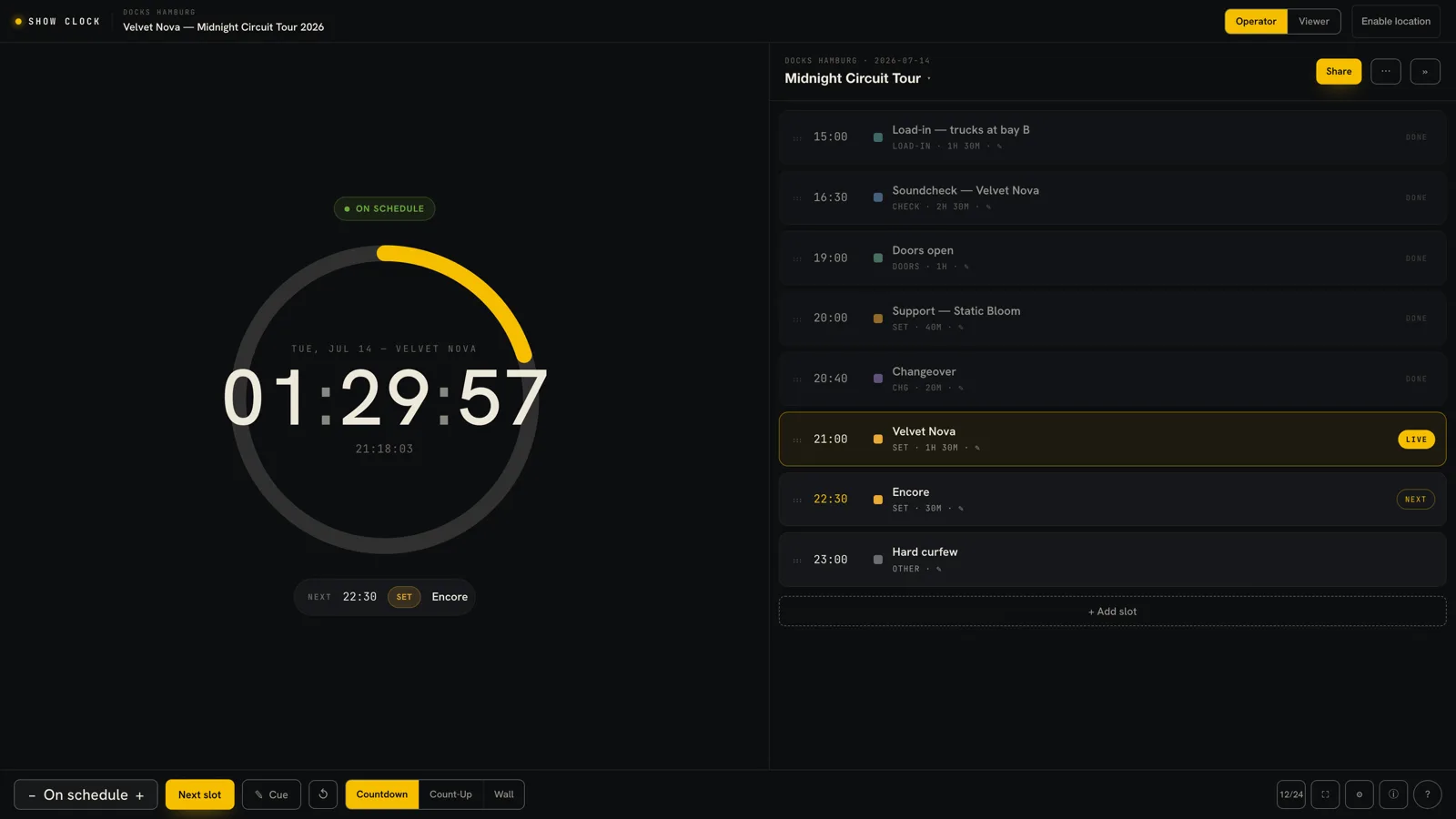
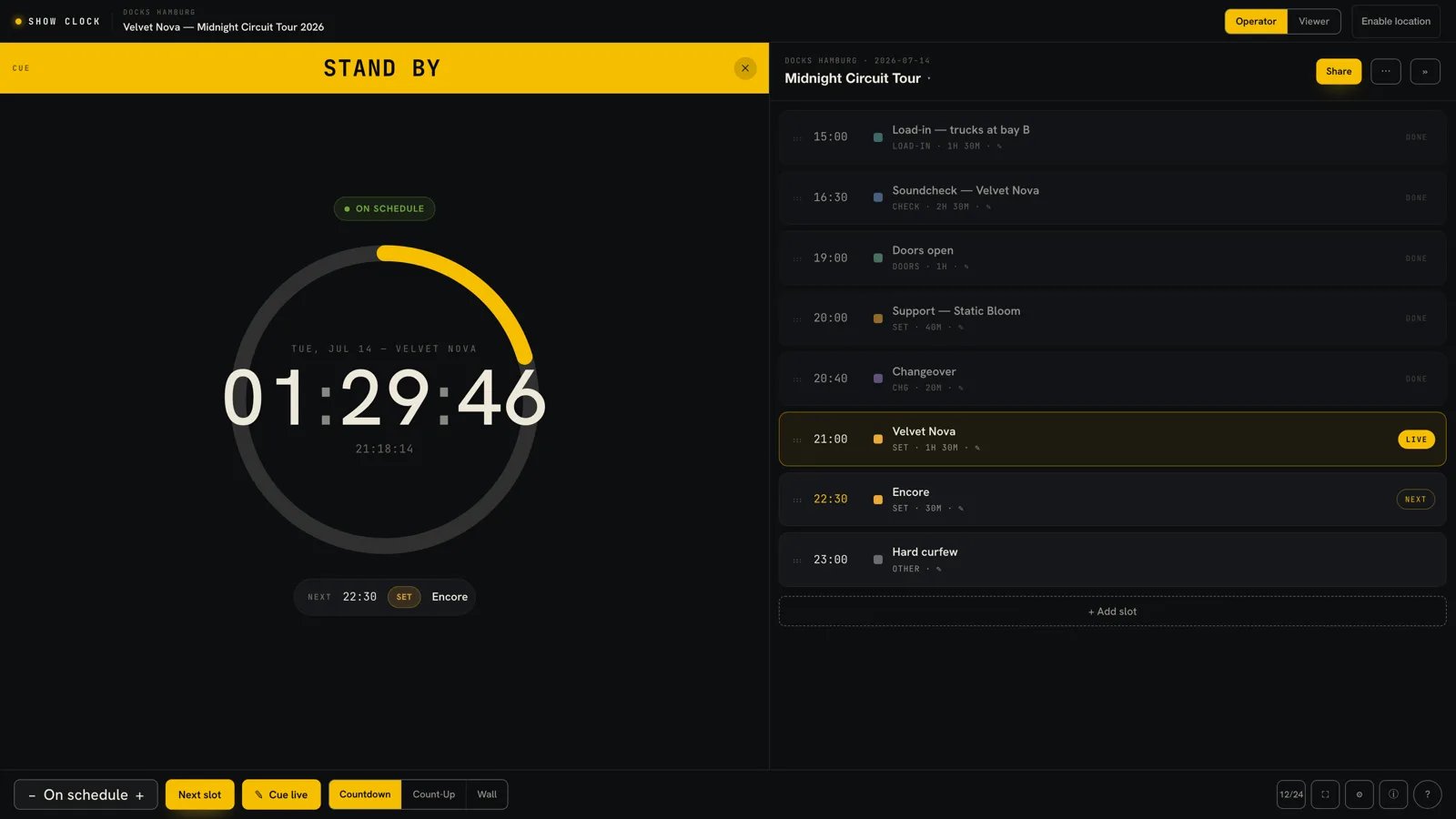
Straight from the operator view — the real tool, not a mockup.
Run of show
Lay out the night — doors, opening act, changeovers, headliner, curfew — and Show Clock runs it. The live slot is highlighted, past slots dim, and the next cue is always in view.
Master & viewer
The stage manager runs the master clock. Monitor engineer, lighting, the artist's tour manager — everyone opens the viewer link on their own phone and sees the exact same countdown, updating in about three seconds.
No app to install, no account to view. Just a link.
Who runs on it
Keep the headliner to curfew with a countdown the whole stage can read at a glance.
Run changeovers to the second and auto-advance into the next set without touching a thing.
Hard curfews, multiple acts, tight changeovers — every slot timed, every state colour-coded.
Speaker timers with warning and over states that presenters actually notice from the lectern.
Service running order on a shared screen, with the crew synced on their own phones.
Segment timers and count-ups for live recordings, exportable for the production log.
Three steps
Add slots with times, types, and durations — or import your advance from CSV.
Pick wall-clock, countdown, or count-up per slot. Warning and over states fire automatically.
Send the viewer link. Everyone's phone shows the same time in three seconds.
Show Clock is a premium tool — bought once, owned forever. No subscription, no seats. Your license unlocks it on your Squaresmile Tools account.
Good to know
Show Clock is a full-screen stage timer and run-of-show tool for live events. It shows the current time, counts a set down or up, warns you before curfew, and keeps your whole crew on the same clock.
It uses a master/viewer model. One device runs the timer; everyone else opens a share link in a browser and sees the same time updating in roughly three seconds. No account or app is needed to view.
Yes. Show Clock uses the browser Wake Lock API to keep the display on while the clock is running, so it won't dim or sleep mid-set. It also installs as an offline PWA.
You can import a run of show and export it to CSV, JSON, or iCal — so an advance from a spreadsheet drops straight in, and your schedule hands off cleanly to the next crew.
Each countdown has a warn threshold (e.g. two minutes). The whole screen turns yellow at the warning and red when the set runs over, with a flashing border that's readable from across a venue.
Show Clock is a premium tool. It's a one-time purchase through Gumroad — no subscription — and unlocks on your Squaresmile Tools account, bound to your license.
Open Show Clock, build your run of show, and put the whole crew on the same clock.
The Squaresmile suite
Every browser tool below is free the moment you sign up. Create one account and the whole toolbox follows you from gig to gig — no installs, no app store.
Show day
 Stage Plot GeneratorPremium
Stage plots, input lists & DMX patch in one doc
Stage Plot GeneratorPremium
Stage plots, input lists & DMX patch in one doc
 SetlistForgePremium
Setlists with timing, keys & royalty reports
SetlistForgePremium
Setlists with timing, keys & royalty reports
 RiderSmithPremium
Tech riders in 11 languages, assembled from your tools
RiderSmithPremium
Tech riders in 11 languages, assembled from your tools
Plan the rig
 RF CoordinationFree
Find safe wireless-mic windows for DE / UK / US / EU
RF CoordinationFree
Find safe wireless-mic windows for DE / UK / US / EU
 PowerSenseFree
Loads per phase, cable checks & distro headroom
PowerSenseFree
Loads per phase, cable checks & distro headroom
 RiggingSenseFree
Bridle & truss statics, taught step by step
RiggingSenseFree
Bridle & truss statics, taught step by step
 RoomSenseFree
Acoustic reference: room modes, SPL, LUFS & EQ
RoomSenseFree
Acoustic reference: room modes, SPL, LUFS & EQ
Train your senses
 SoundSensePremium
Ear training on real stems — 21 modules
SoundSensePremium
Ear training on real stems — 21 modules
 PitchSenseFree
Hz ↔ note converter, cents meter & reference tones
PitchSenseFree
Hz ↔ note converter, cents meter & reference tones
Studio & prep
 ClickSmithFree
Turn any song into an L/R click track (WAV)
ClickSmithFree
Turn any song into an L/R click track (WAV)
 BPM ForgeFree
Tap tempo, metronome, tuner & per-song setlists
BPM ForgeFree
Tap tempo, metronome, tuner & per-song setlists
 TempoSenseFree
Hears the tempo — live BPM, ÷2 / ÷4 / ÷8 layers, delay times & MIDI out
TempoSenseFree
Hears the tempo — live BPM, ÷2 / ÷4 / ÷8 layers, delay times & MIDI out
Desktop & plugins


